Your tasks and your calendar, finally on one page.
Mind Planner puts a Kanban board next to your week. Drag a card onto the calendar to block out time, see every meeting from Google, Outlook and iCloud in the same view, and let Claude tell you what matters each morning.
Mind Planner is invite-only for now.
Works with what you already use
Plan the work. Then plan the time.
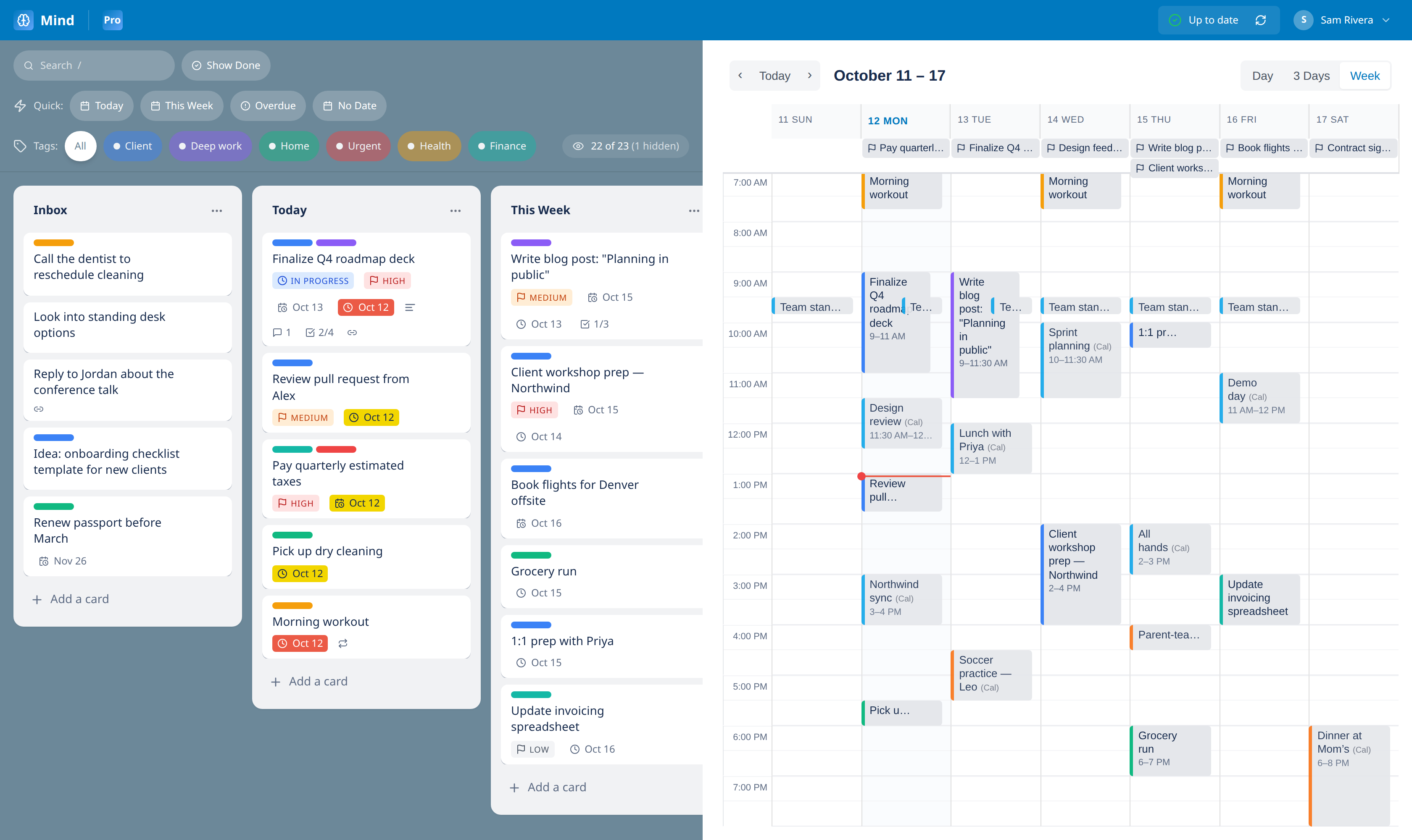
Lists on the left, your week on the right. Drag any card onto the calendar to time-block it, and resize it to change how long it takes. Lists, tags and statuses stay put: the calendar just knows when.
- Drag cards straight onto your week
- Day, 3-day and week views
- Due dates appear as all-day markers
Every calendar you live in, in one view.
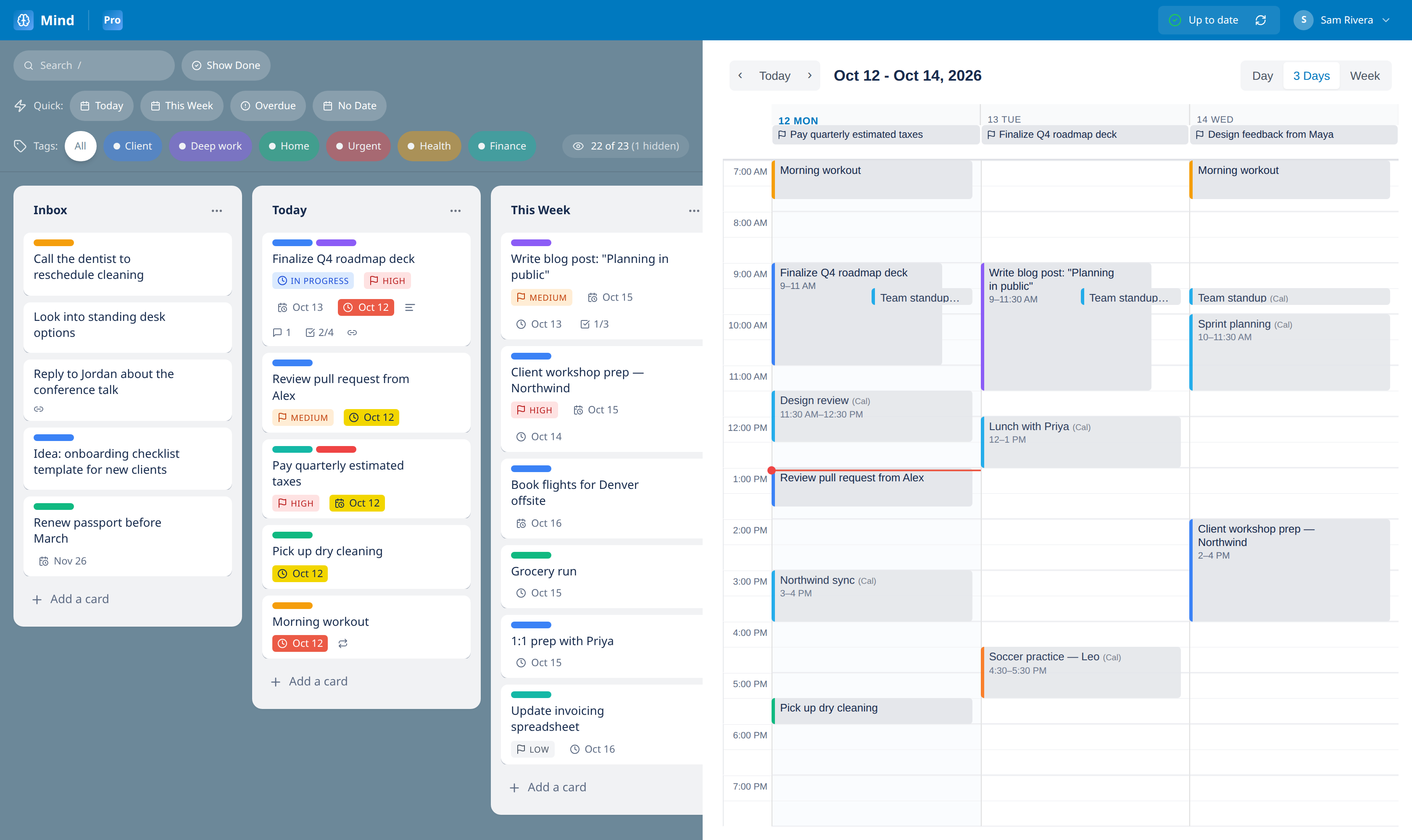
Subscribe to your Google, Outlook or iCloud calendars and see meetings next to your own tasks, each calendar in its own color. Your free time is the gap you can see.
- Any iCal feed: work, family, school
- Refreshes in the background
- Read-only, so nothing changes at the source
A morning brief from Claude.
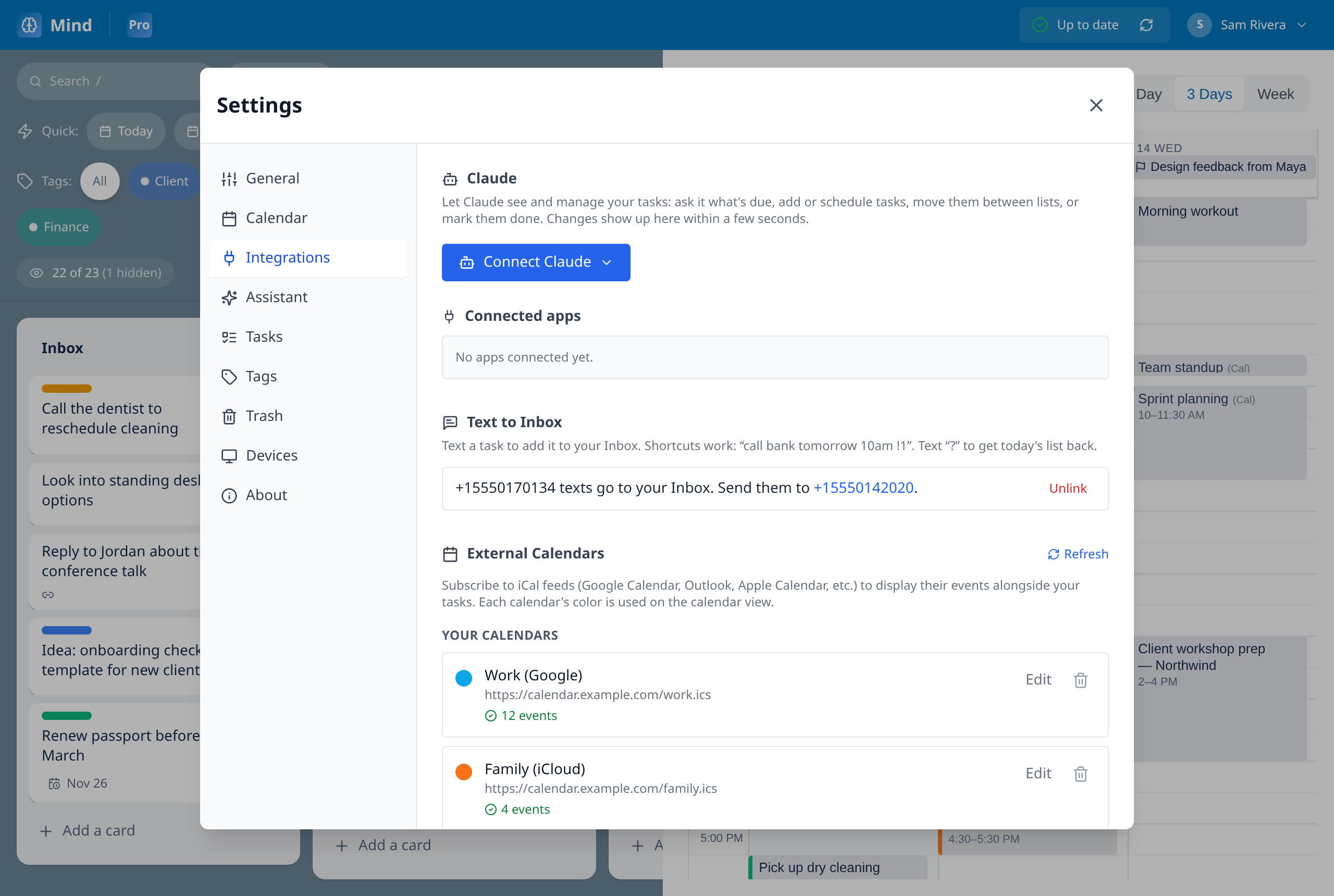
Every morning, Claude reads your board and writes a short brief: today's top three, what's overdue or due soon, and who you're still waiting on. It can also tidy your Inbox, suggesting tags, lists and due dates, or applying them for you. One click undoes a run.
- Daily brief, pushed to your phone
- Inbox triage: suggest-only or automatic
- Never deletes or completes tasks
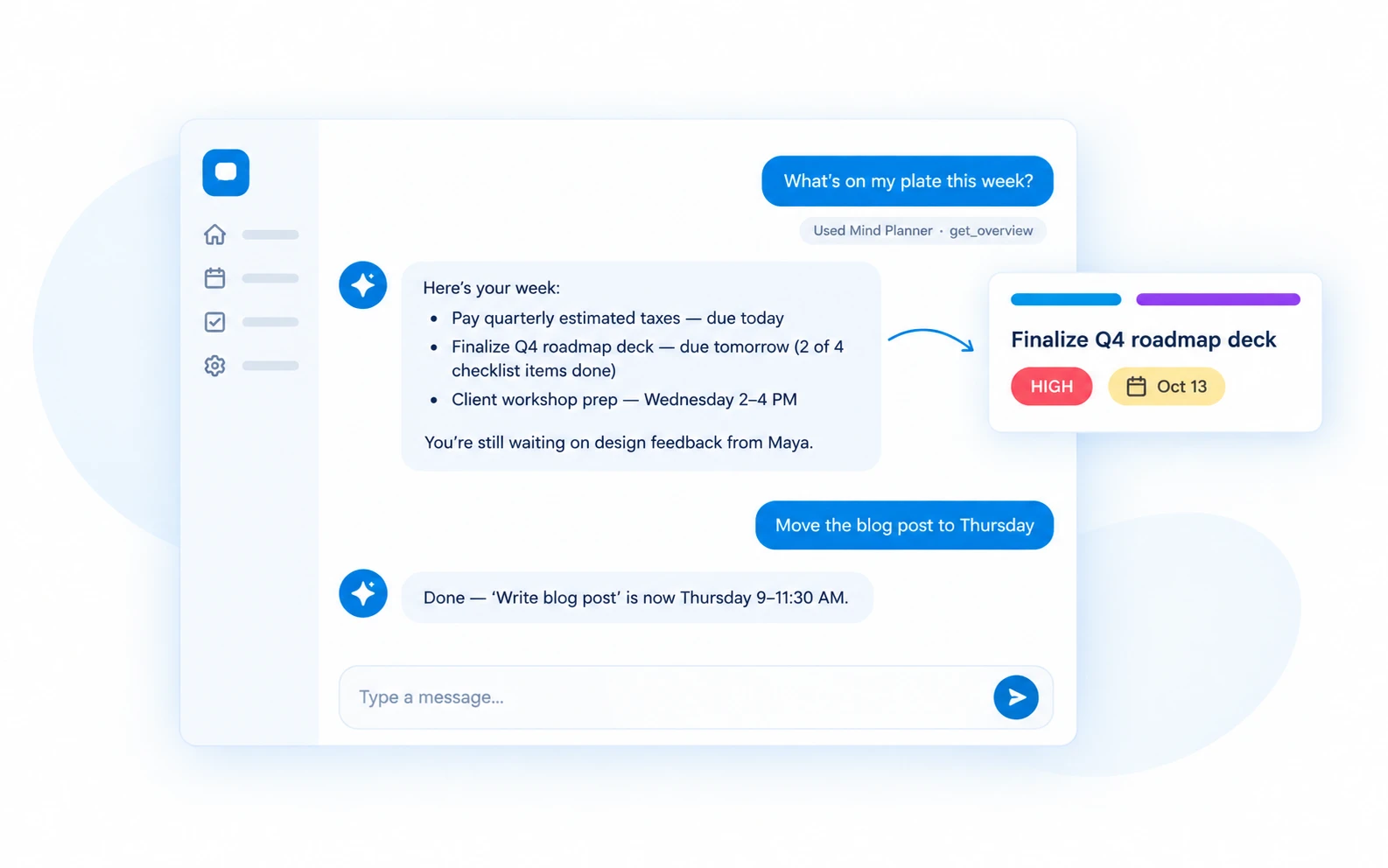
Talk to your planner.
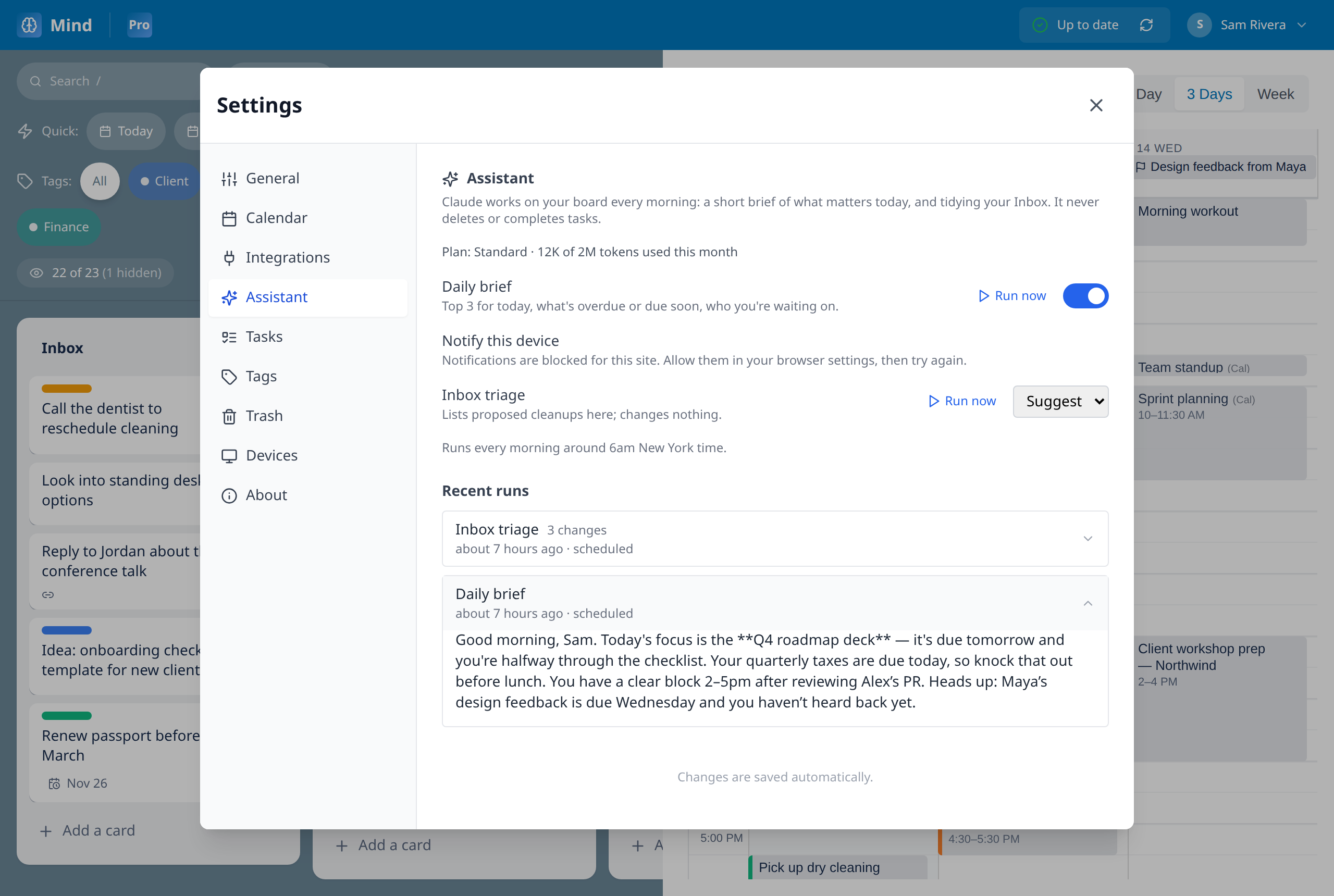
Connect Mind Planner to Claude and manage your tasks in plain English. Ask what's on your plate, reschedule a task, or turn an email into a checklist. Changes show up on your board within seconds.
- Ask what’s due, overdue or waiting
- Add, move and reschedule tasks
- Set up in a minute from Settings
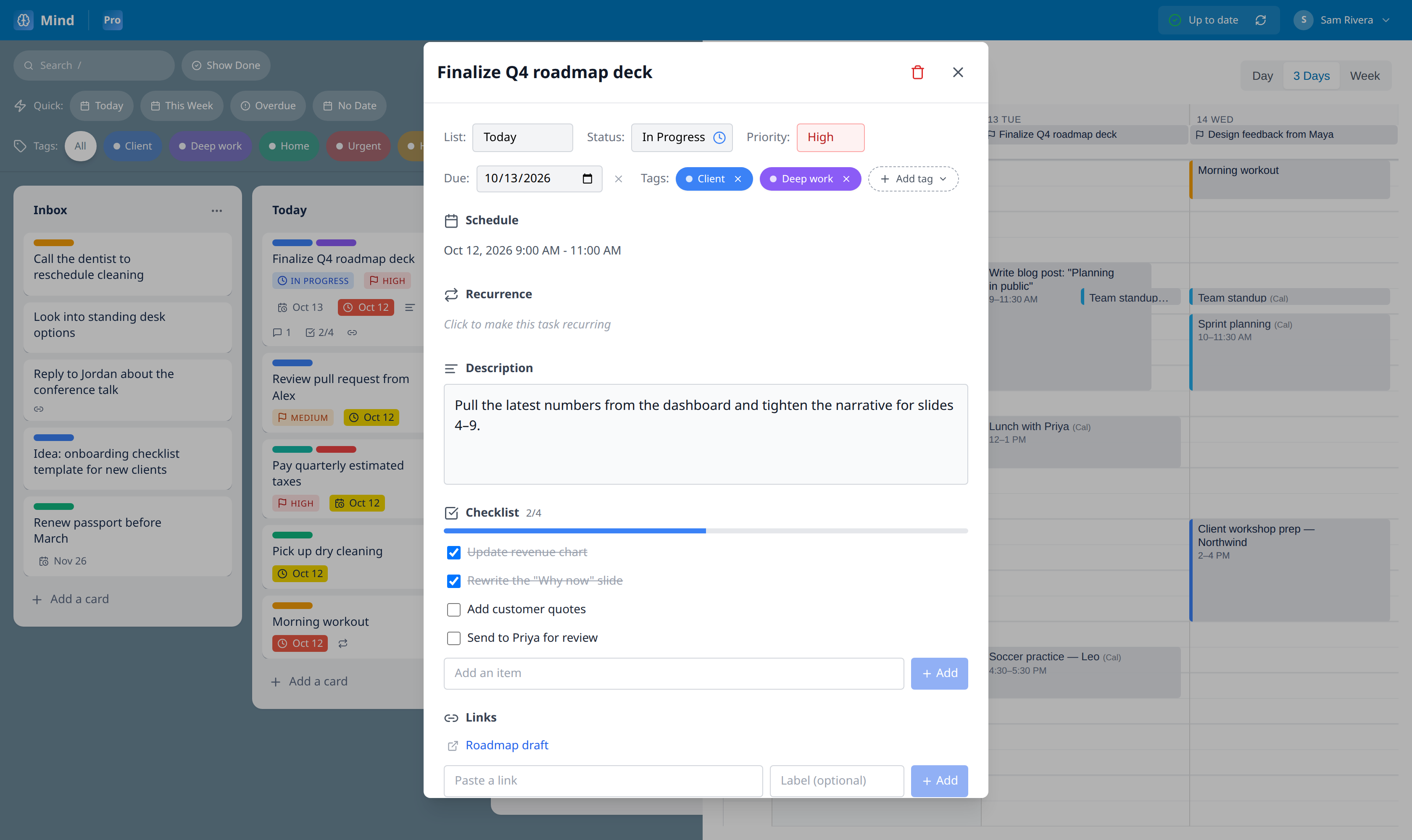
All the detail a task needs. None it doesn’t.
Open any card for priorities, due dates, checklists, comments and repeats. Cards show just enough on the board: a flag, a date, a progress count.
- Checklists with progress
- Daily, weekly, monthly and yearly repeats
- Priorities, due dates and comments
Capture from anywhere. Find it everywhere.
The small things that make a planner something you actually keep using.
Text it to your Inbox
Text a task from any phone. "Call bank tomorrow 10am !1" lands with a time and a priority. Text "?" to get today's list back.
Repeat anything
Daily, weekly on chosen days, monthly or yearly. Each occurrence is checked off on its own, and can be moved without moving the rest.
Quick-add that understands you
Type "Dentist fri 3pm #health !2" and get a scheduled, tagged, prioritized card. No forms.
Save from anywhere
A browser button turns any web page or email into a card. On your phone, use the Share sheet.
Made for your phone too
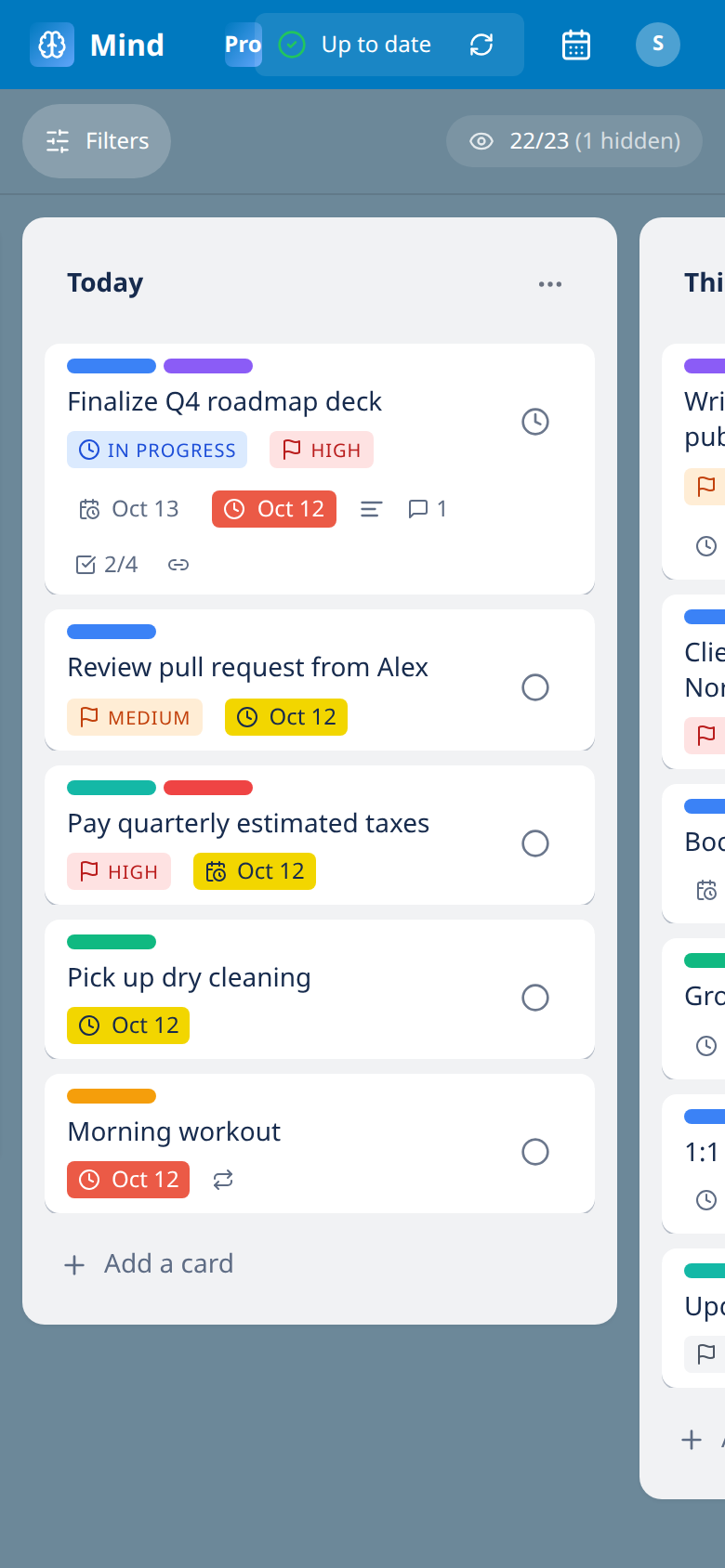
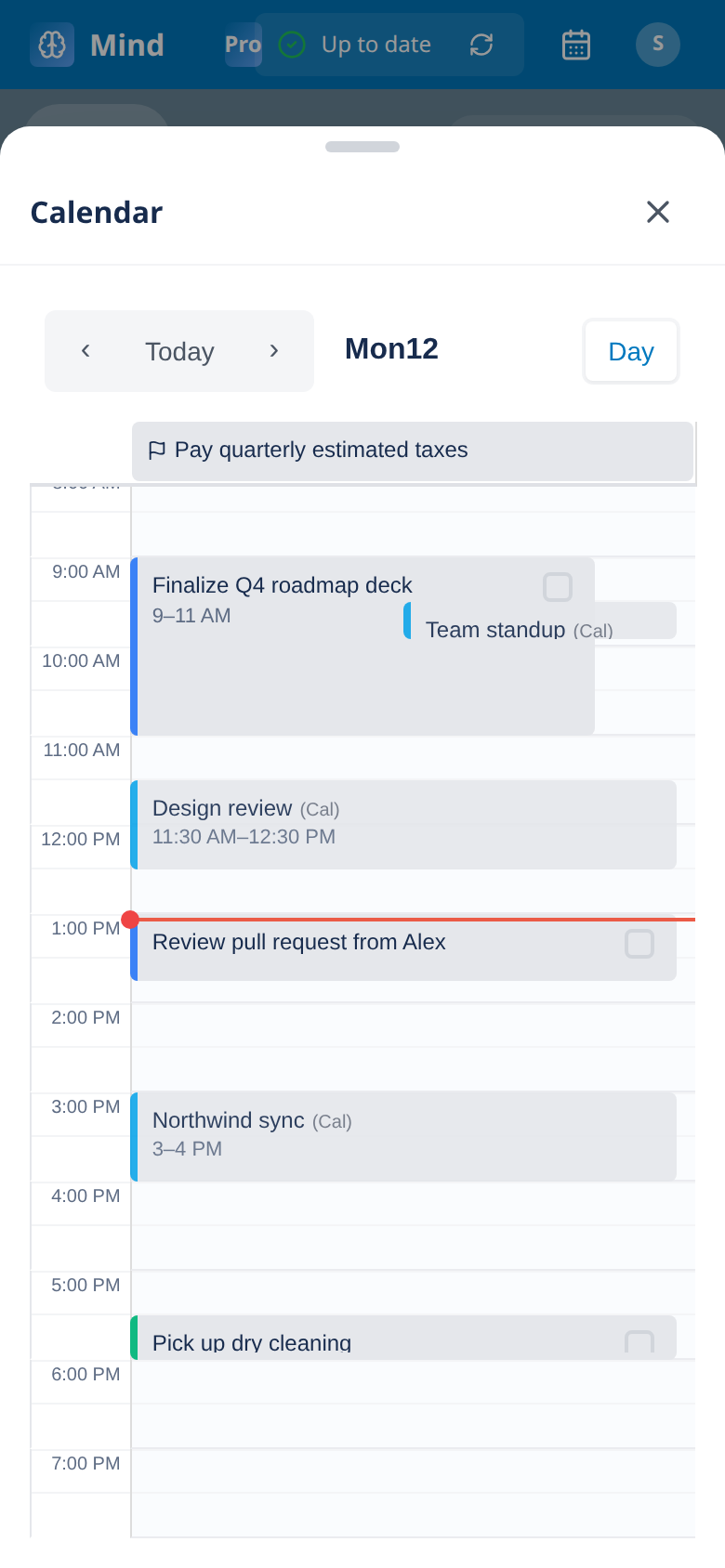
Install it to your home screen. Swipe between lists, pull up the calendar, get your brief as a notification.
Live on every device
Changes sync to your laptop and phone in seconds. See every signed-in device and sign any of them out.
Tags, filters and search
Color tags, one-tap filters for Today, This Week, Overdue and No Date, and search on "/".
Nothing is lost
Deleted tasks go to the Trash for 30 days. The assistant’s changes can be undone in one click.
Your plan, in your pocket.
Add Mind Planner to your home screen and it behaves like an app: swipe between lists, pull up today’s calendar, share a link straight into your Inbox, and get your morning brief as a notification.
Questions
Why is it invite-only?+
We're opening it up gradually while we polish things. If you've been invited, sign in with the Google account your invite was sent to.
Which calendars work?+
Any calendar that can share an iCal (.ics) link: Google Calendar, Outlook and Microsoft 365, Apple iCloud, and most school and work systems.
What does the assistant do with my tasks?+
It reads your board to write the brief, and in triage it can add tags, move Inbox items to a list and set due dates. It never deletes or completes anything, and every run can be undone.
Is there a phone app?+
Mind Planner installs from the browser on iPhone and Android ("Add to Home Screen"), with notifications, the Share sheet, and a layout built for small screens.
How do I sign in?+
With your Google account. Once you have an invite, sign in with the same email.